Hello!
We've made some exciting updates to Moosen, including the ability to edit videos right inside the manual post area!
Your videos, ready for every platform
You capture what makes your business special. Now you can turn those clips into polished posts right inside Moosen, without another app.
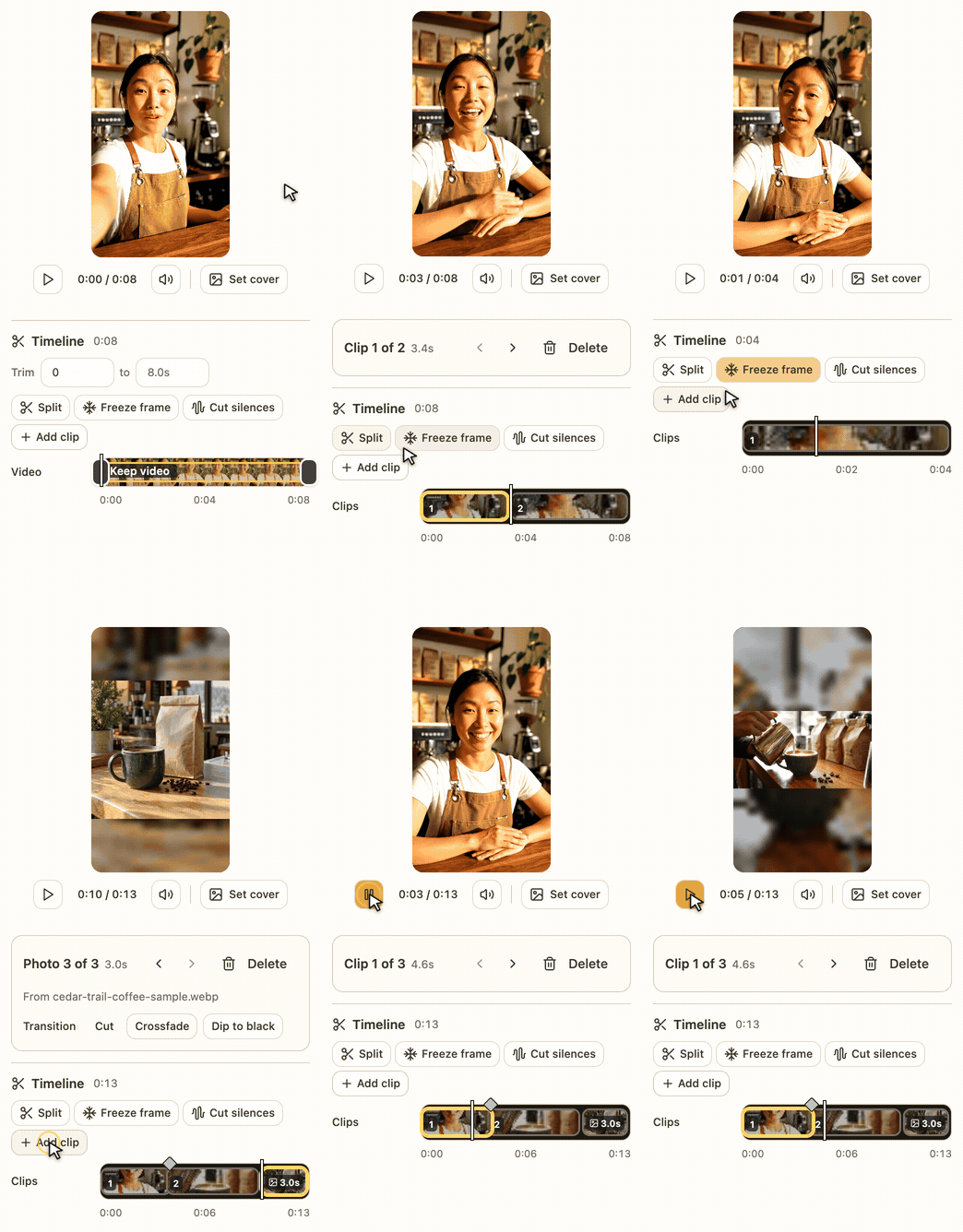
| Tell the story in the right orderSplit a clip, drop what you don't need and lead with your best moment. Mix in other videos and photos, then join them with a smooth crossfade. Cut Silences trims the pauses between your words, so your video gets straight to the point. |
Captions that keep up with youLots of people watch with the sound off. Auto captions put your words on screen as you say them, one highlighted word at a time. Add a title in your brand fonts and colors, and let it pop in to catch the eye. |
|

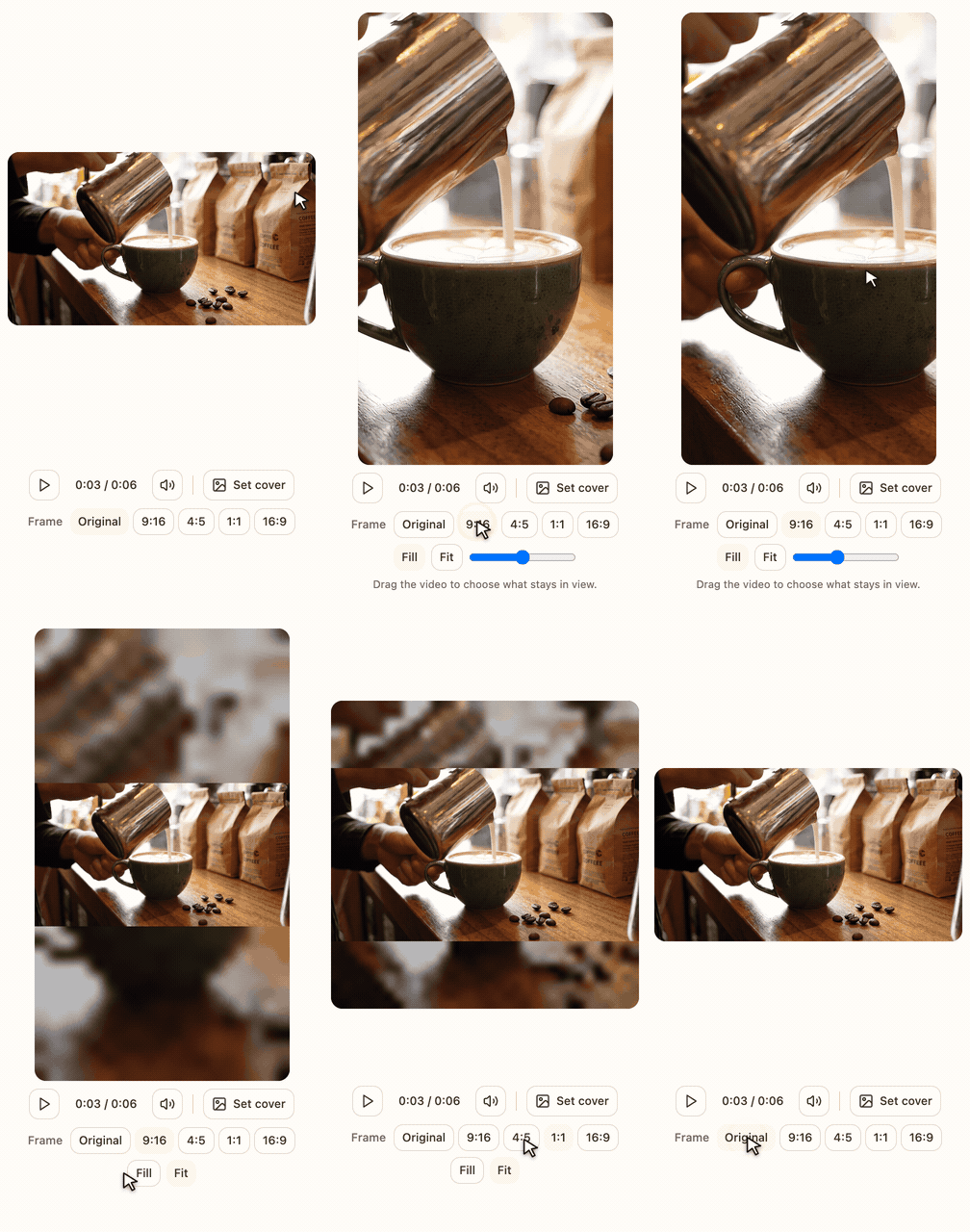
| The right shape for every platformReels and TikTok want tall video, while YouTube and LinkedIn look best wide. Switch between 9:16, 4:5, 1:1 and 16:9, and drag to keep the good part in frame. Moosen also flags anything a platform won't accept before you post. |
Sound and a cover to match
Add your own music or record a voiceover, and the music dips whenever someone speaks. Then pick the frame people see first on Instagram, TikTok and Pinterest.
Your original video is always kept, so you can come back and change anything.
Also new in Moosen
Know what needs attention.
If a platform turns a post down, you'll see why and can retry just that one.
Choose where each schedule posts.
Pick the accounts each automatic schedule publishes to.
Reddit, in Reddit's voice.
Posts to Reddit get their own version, written to your instructions.
Say what image you want.
Add a few words to steer the image Moosen creates for a manual post.
I'd love to see what you make with it. Questions or ideas? Just reply to this email.
Happy filming,
Dennis
Founder, Moosen